
You do not need a $100 monthly subscription to start ranking. A smart combination of free SEO tools can handle keyword research, technical checks, page speed, content planning and performance tracking, as long as you know which tool does which job and in what order to use them.
The problem is that most lists of the best free SEO tools give you a pile of names and leave you to figure out the rest. This guide does it differently. Instead of ranking tools by popularity, we group each free SEO tool by the job it does for your website, show you where each one stops being free, and finish with a four-week plan you can follow even if you are a complete beginner.
What Is a Free SEO Tool, and What Can It Realistically Do?
A free SEO tool is any software that helps you improve your visibility in search engines without charging for core use. Some are completely free (Google’s own tools). Others are “freemium”: you get limited daily searches, a capped number of pages, or a few tracked keywords, and the rest sits behind a paywall.
Be realistic about what free can do. Free tools are excellent for diagnosing problems, finding keyword ideas and learning how search works. They are weaker at large-scale competitor research and long-term rank history. Knowing that upfront helps you pick the right tool for each task instead of hitting a limit halfway through your work.
How We Chose the Best Free SEO Tools
Every tool below had to pass four tests:
- Genuinely useful on the free tier, not just a teaser for a paid plan.
- Clear job to be done, such as finding keywords or fixing crawl errors.
- Beginner-friendly enough to use without an SEO background.
- Worth the learning time, meaning the insight it gives you changes what you do next.
We also reviewed how several well-known SEO publishers present their own free-tool lists, then built a different structure around workflow rather than a flat ranking.
The Free SEO Tool Stack at a Glance
Think of SEO as five jobs. Pick one or two tools per job and you have a full stack at zero cost.
| Job | Free SEO tool | What it is best at | Where free ends |
|---|---|---|---|
| Find | Google Search Console | Real queries and clicks for your own site | Only shows your site, with a 1-2 day delay |
| Find | Google Trends | Comparing which topic is rising or fading | Relative interest, not exact volume |
| Find | Google Autocomplete | Long-tail ideas straight from real searches | Manual, no volume data |
| Find | AlsoAsked / AnswerThePublic | Question-style keywords and FAQ ideas | A few searches per day |
| Find | Semrush free plan | Keyword ideas and difficulty | Roughly 10 searches per day |
| Fix | Screaming Frog (free) | Deep technical crawl | Capped at 500 URLs |
| Fix | Google PageSpeed Insights | Speed and Core Web Vitals | Flags problems, rarely explains fixes |
| Fix | Bing Webmaster Tools | Second opinion on crawl and index issues | Bing-focused data |
| Create | Keywords Everywhere (extension) | Keyword metrics inside the search results | Check current limits |
| Track | Google Analytics 4 | What visitors do after they arrive | Needs setup time |
| Track | Looker Studio | Free SEO dashboards | You build the report yourself |
| AI search | Free AI visibility checkers | Whether AI answers mention your brand | Limited daily checks |
Free limits change often, so confirm current limits on each tool’s website before you plan your workflow.
Step 1: Find What People Search For
Good SEO starts with demand. Before you write or fix anything, find out what your audience actually types.
Google Search Console: The Free SEO Tool Every Site Needs
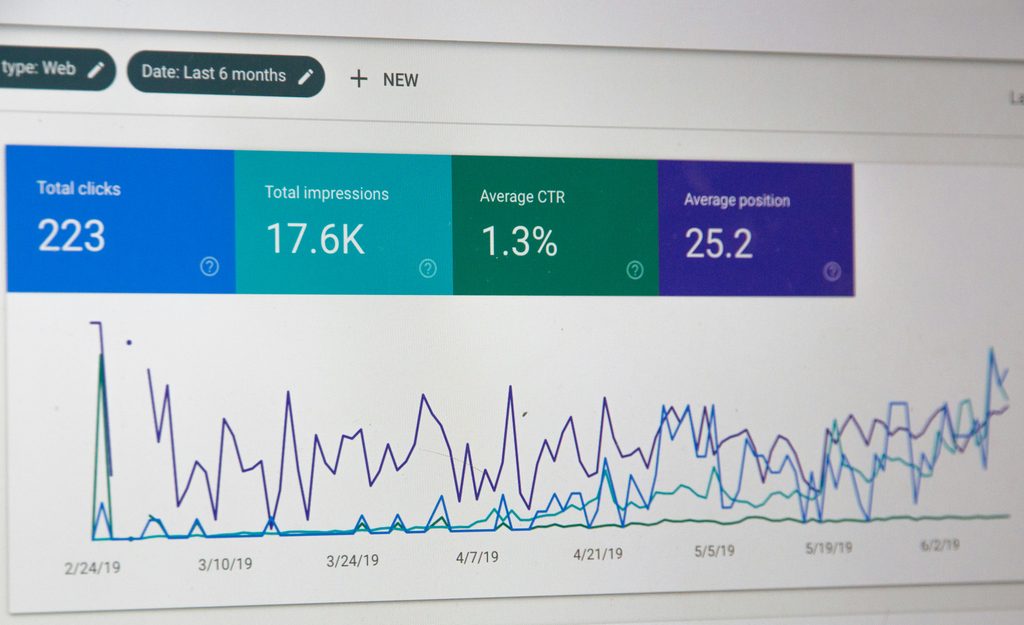
If you install only one free SEO tool, make it Google Search Console. It is the only place that shows first-party data from Google: the queries your pages appeared for, how many clicks they earned and which pages are not indexed. Submit your sitemap here and use it to request indexing after you publish or update a page.
A quick win: look for queries where you get plenty of impressions but few clicks. Those pages are ranking, just not persuasively. Rewrite the title and meta description and watch what happens.
Google Autocomplete and Google Trends

Google Autocomplete and Google Trends are two free tools that show you what people actually want to know before you write a single word. Autocomplete suggests the searches people type most often as you start a phrase, so typing something like “banquet hall in Noida” and adding letters or words such as “price”, “near me” or “for wedding” reveals real questions and long-tail keywords you can turn into headings, FAQs and blog topics. Google Trends goes a step further by showing how interest in a keyword rises and falls over time, which helps you spot seasonal peaks (such as the wedding season), compare two or more keywords side by side, see which cities or regions search for them most, and discover related queries that are growing. Used together, Autocomplete tells you what to write about and Trends tells you when and where to publish it, so your content matches real demand instead of guesswork. Validate the ideas with Search Console and a keyword tool, then track the results in GA4 to see which topics actually bring enquiries.
Question Tools: AlsoAsked and AnswerThePublic
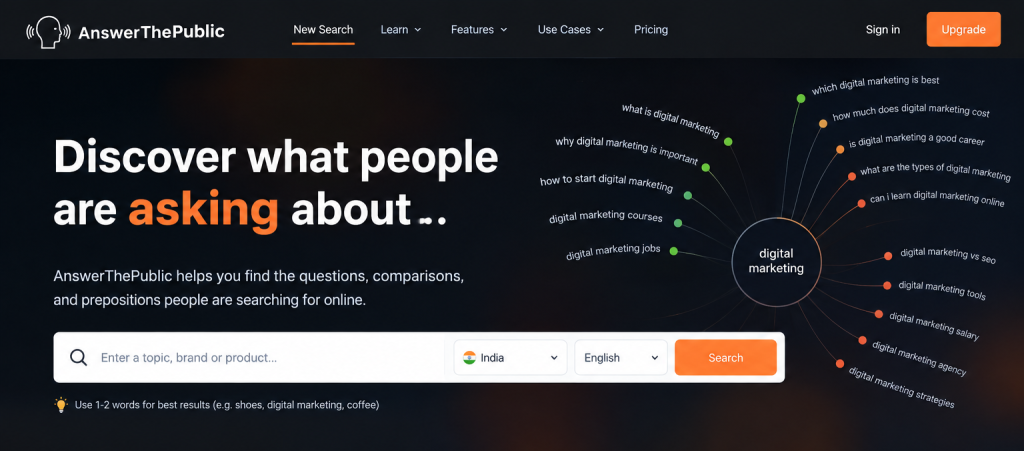
These tools turn one keyword into dozens of questions. Use them to plan H2 headings and FAQ sections. Both limit free searches per day, so decide your seed keywords first and do your research in one sitting.
Free Keyword Research Tool Options
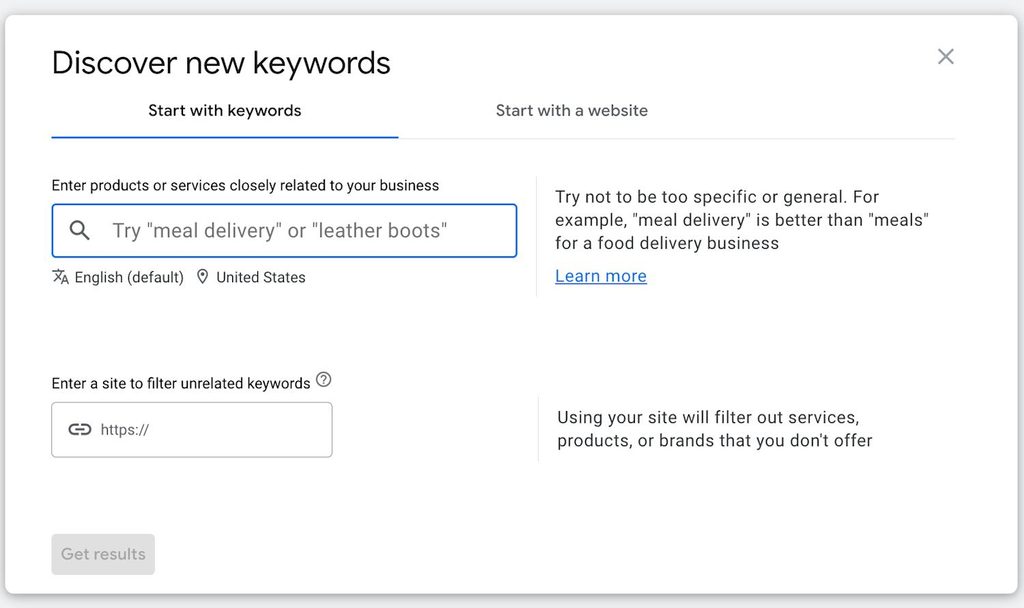
Every successful website starts with knowing what its customers actually search for. Google Keyword Planner is one of the most trusted free tools for this job. It sits inside Google Ads, but you don’t need to run a single ad to use it.Keyword Planner is Google’s own tool for finding keyword ideas and seeing how often they are searched. Because the data comes straight from Google, it is a reliable starting point for planning pages, blog posts and service content.
Step 2: Fix What Holds Your Site Back
Publishing great content on a site that search engines cannot crawl properly is like opening a shop with the door locked. Fix access first.
Check the Basics Before Anything Else
Before running any big audit, confirm three things:
- Your XML sitemap exists and lists your important pages.
- Your robots.txt file is not accidentally blocking pages or crawlers you want.
- Your important pages are indexed (Search Console’s page indexing report shows this).
Free checkers for sitemaps and robots.txt are available from several SEO platforms, including SEOmator, and take under a minute.
Screaming Frog (Free Version)
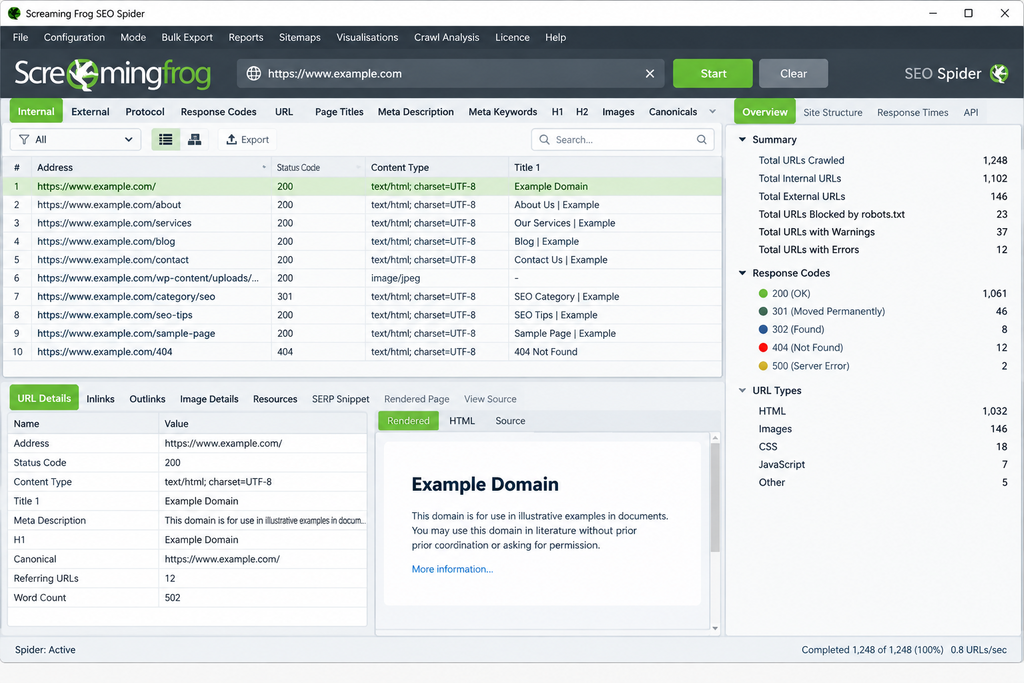
This desktop crawler finds broken links, redirect chains, duplicate titles, missing meta descriptions and noindex tags. The free version crawls up to 500 URLs, which covers most small business and personal sites. It has a steeper learning curve than web-based tools, so start with the Response Codes and Page Titles tabs.
Google PageSpeed Insights
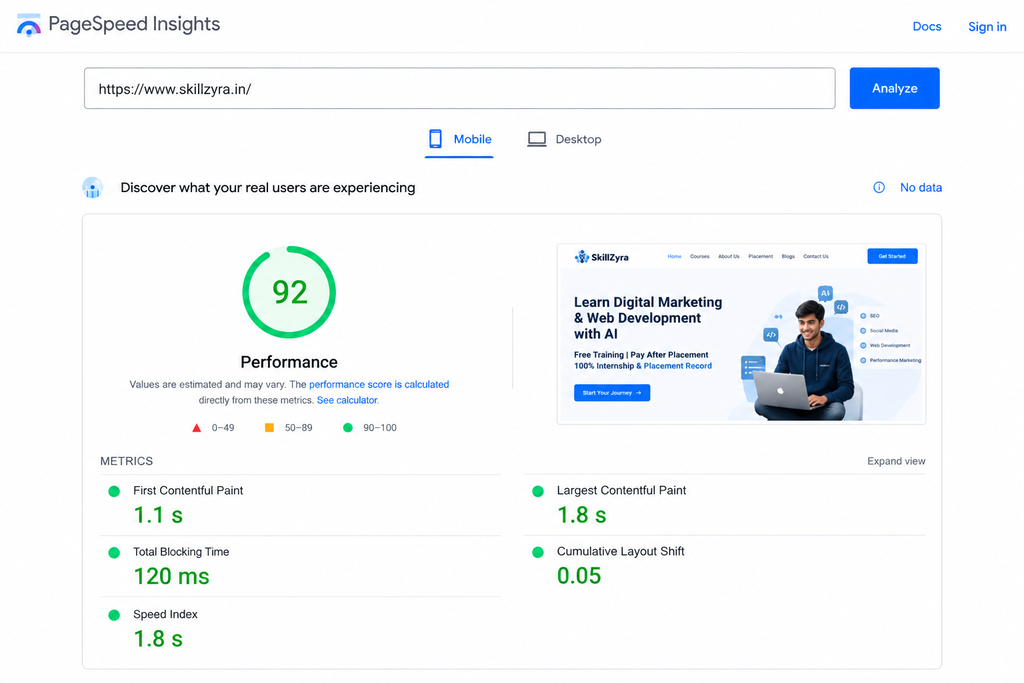
Enter any URL and get Core Web Vitals plus a list of what slows the page down. It tells you what is wrong more clearly than how to fix it, so be ready to pass the findings to a developer or search for the specific fix.
Step 3: Create Content That Deserves to Rank
Tools cannot write a page worth ranking, but they can make sure you cover the topic properly.
- Search the keyword yourself and read the top results. What format wins: lists, guides, tools?
- Use question tools to build your outline from real queries.
- Add original value: your own examples, screenshots, data or experience. This is what separates a page that ranks from one that repeats what already exists.
- Use a browser extension such as Keywords Everywhere to see keyword metrics directly in Google while you research.
- Proofread with any grammar checker or AI assistant, but keep your own voice and facts.
Step 4: Track What Is Working
Google Analytics 4
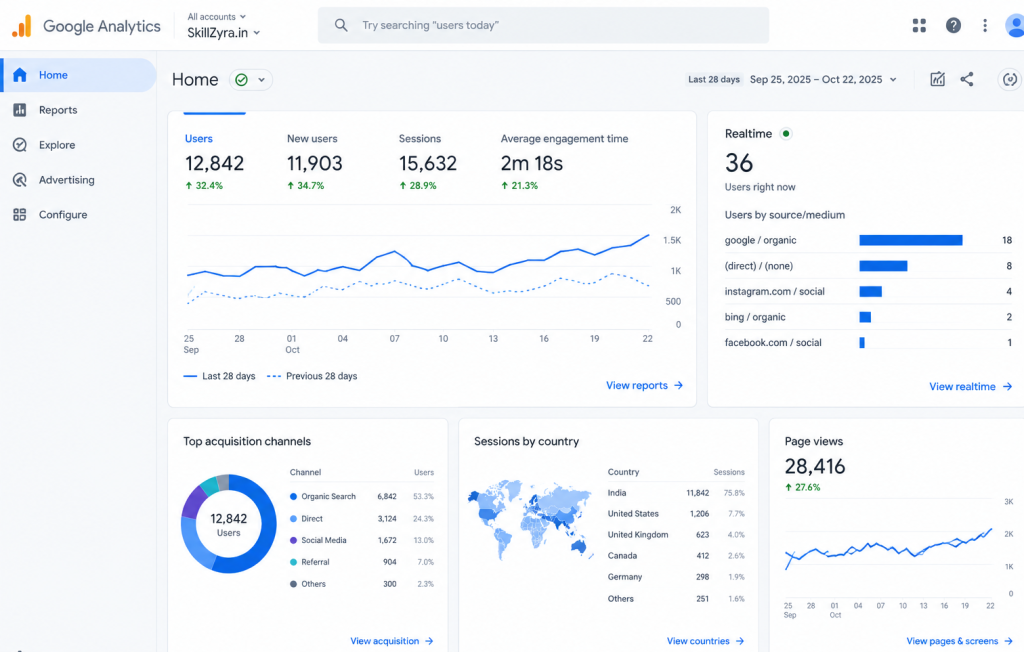
GA4 is Google’s current analytics platform. It records every interaction on your site, such as page views, scrolls, clicks, form submissions and downloads, as an “event”. You then choose which events matter most to your business and mark them as Key events. These might be a contact form submission, a phone call click, a WhatsApp message or a completed booking.
Search Console shows how people find you. GA4 shows what happens next. Together they let you see which search terms bring visitors who actually get in touch, instead of guessing which pages deserve your time and budget.
Rank Checkers
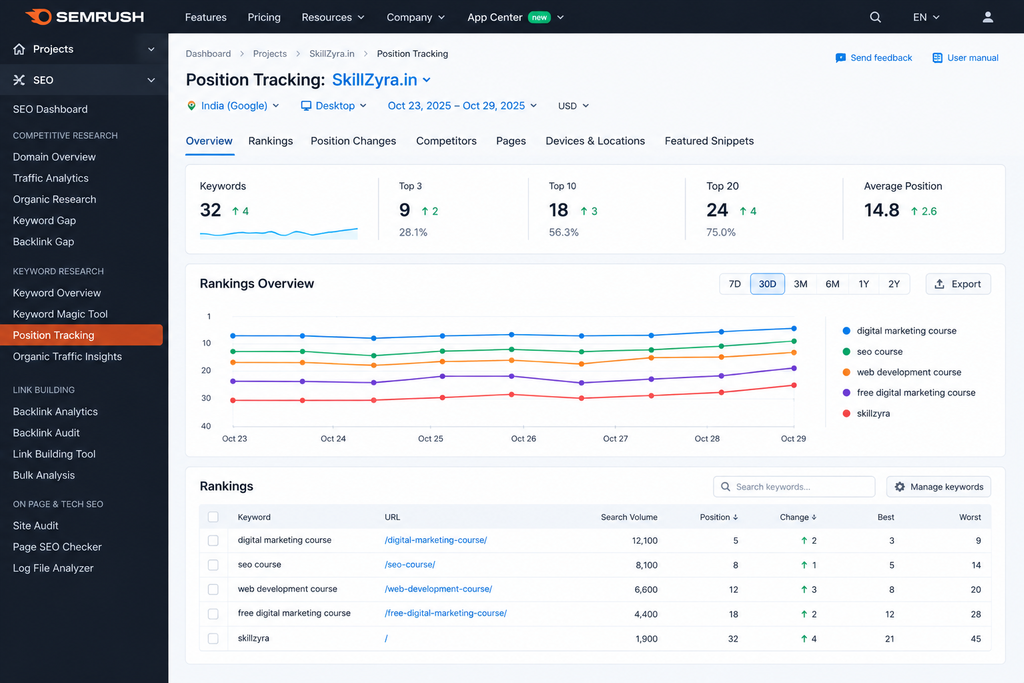
Semrush’s rank checker takes the guesswork out of SEO by showing exactly where your website ranks on Google for the keywords that matter to your business. Instead of searching manually, where results shift by location, device and search history, you can use Semrush’s Position Tracking to monitor a chosen keyword list by country, city and device, compare your positions against competitors, and watch trends over days, weeks and months. It also shows your overall visibility, flags pages that compete against each other for the same keyword, and highlights keywords sitting in positions 4 to 20 that are close to reaching page one. This is especially valuable for local businesses, where rankings can vary sharply from one city to another. Pair it with Google Search Console and GA4 to see not just where you rank, but whether those rankings bring real enquiries. Semrush is a paid platform and plan limits vary, so check current pricing before you commit.
Step 5: Prepare for AI Search
Search now includes AI answers, and being cited there is a new kind of visibility. Free options include Semrush’s AI visibility checker and SEOmator’s GEO and AI brand checkers, which show whether AI platforms can read your site and mention your brand. Make sure your robots.txt is not blocking AI crawlers you actually want, and structure pages with clear headings and direct answers. Treat these tools as early indicators, since the category is still young and results vary between checks.
A 4-Week Plan Using Only Free SEO Tools
Week 1: Foundations. Set up Search Console, Bing Webmaster Tools and GA4. Submit your sitemap. Check robots.txt.
Week 2: Technical cleanup. Crawl your site with Screaming Frog. Fix broken links, duplicate titles and redirect chains. Run PageSpeed Insights on your top five pages.
Week 3: Keyword and content plan. Use Autocomplete, Trends, question tools and a free keyword tool to choose one primary keyword per page. Build outlines from real questions.
Week 4: Publish, measure, improve. Publish or update pages, request indexing, then build a Looker Studio dashboard. Review Search Console for pages with high impressions and low clicks.
Free vs Paid: When Should You Upgrade?
Stay free as long as you manage one small site, publish a few pages a month and can tolerate manual checks. Consider paying when you need to track hundreds of keywords daily, audit large sites, analyse competitor backlinks in depth or report to clients. Upgrade for a specific limit you keep hitting, not because a tool looks impressive.
Common Mistakes When Using Free SEO Tools
- Treating estimates as facts. Traffic, authority and volume numbers are modelled. Use them for comparison.
- Collecting tools instead of fixing issues. One crawl you act on beats five reports you ignore.
- Ignoring Search Console. It is free, first-party and the most reliable source you have.
- Chasing keywords before fixing crawlability. If pages cannot be indexed, rankings cannot follow.
- Copying competitors. Tools show what exists. Winning pages add something new.
Frequently Asked Questions About Free SEO Tools
What is the best free SEO tool?
For most websites, Google Search Console. It is free, accurate for your own site and shows indexing, queries and clicks. Pair it with a keyword tool and a crawler for the full picture.
Are free SEO tools good enough for a small business?
Yes, for the early stages. A small site can cover keyword research, technical audits, speed checks and tracking using only free tools. You will mainly feel the limits in competitor analysis and long-term rank history.
Which free SEO tool is best for keyword research?
Start with Google Autocomplete, Google Trends and Search Console for real demand. Add a free keyword tool such as Semrush’s free plan or Ubersuggest to compare difficulty.
Is there a free SEO audit tool?
Yes. Screaming Frog (up to 500 URLs), Semrush Site Audit on a free account and SEOmator’s free audit all check technical issues. Run more than one, since they catch different problems.
Can free SEO tools help me show up in AI search?
They can show whether AI crawlers can access your site and whether AI answers mention your brand. They cannot guarantee citations, so keep improving content quality too.
How often should I use these tools?
Check Search Console weekly, run a crawl monthly and review speed after any major site change.
Conclusion
The best free SEO tools are not the longest list, they are the right few used in the right order: find demand, fix access, create something genuinely useful, track results and keep an eye on AI search. Start with Search Console and a crawl this week, and you will already be ahead of many sites that never check the basics. Please let us know to get more details on this topic.